tk777 App for Android — Play Anywhere in Bangladesh
The tk777 app brings slots, live casino, Crash games and cricket betting to your phone. Free to download, works on Android 6.0 or above. Deposit and withdraw with bKash or Nagad — no laptop needed.
tk777.apk · v3.0.18 · 28 MB · Free · Android 6.0+
- SSL Secured
- 18+ Only
- 24/7 Support
- bKash & Nagad
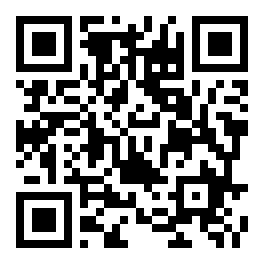
Scan the QR code below to download directly to your phone.
Get the tk777 App Running on Android
The APK is not on the Google Play Store — it comes directly from tk777. That is normal for apps of this type. The process takes about two minutes from start to finish.
-
1
Allow Installation from Unknown Sources
On your Android phone, open Settings → Security (or Privacy on newer phones). Find Install unknown apps and allow your browser — Chrome, Firefox, or your default browser — to install APK files. This one-time setting is required. You can turn it back off after installation if you prefer.
-
2
Download the tk777 APK
Tap the Download APK button on this page. Your browser will download tk777.apk (28 MB) to your phone's storage. The file is scanned and verified — it matches the SHA-256 checksum published in our help center. Wait for the download bar to reach 100% before proceeding.
-
3
Open the Downloaded File
Tap the download notification in your status bar, or go to your Files / Downloads folder and tap tk777.apk. Android will show an install confirmation screen listing the permissions the app needs (see the Security section below for details). Review them, then tap Install.
-
4
Wait for Installation to Complete
The install takes about 20–40 seconds depending on your phone. You will see a green "App installed" message when it is done. Tap Open to launch tk777 immediately, or find the app icon on your home screen or in your app drawer. No restart is needed.
-
5
Log In or Create an Account
Open the tk777 app. If you already have an account, enter your mobile number and password on the login screen. First-time users tap Register and complete the short sign-up form — it takes under two minutes. After logging in, your first deposit via bKash or Nagad triggers the welcome bonus automatically. You are ready to play.
iPhone / iPad Users — Add to Home Screen
- Open tk777.team in Safari on your iPhone or iPad.
- Tap the Share button (box with arrow) at the bottom of the screen.
- Scroll down in the share sheet and tap Add to Home Screen.
- Name the shortcut "tk777" and tap Add in the top-right corner.
- The tk777 icon now appears on your home screen. Tap it to open the site in full-screen mode — no browser bars, just the game.
Everything You Can Play Inside the App
The tk777 app gives you access to over 2,200 games from providers like JDB, FA Chai, Playtech, Sexy Gaming and CQ9 — all in one place, optimised for small screens.
Slots & Video Games
Spin reels from Playtech and CQ9 — titles like Fortune Tiger, Wild Bandito and Fortune Gems. Bets start at ৳1, so you can stretch a small balance across dozens of spins. Autoplay and fast-spin modes work smoothly on mid-range Android phones.
Live Casino Tables
Streamed in real time: European Blackjack, Double Exposure Blackjack and more from JDB and Sexy Gaming. The video loads in under three seconds on a standard mobile data connection. Chat with the dealer in the live stream window directly from the app.
Crash Games
Watch the multiplier climb and cash out before the crash. Crash games run as fast on the app as they do on desktop — the animation is 60 fps even on Android 6. You can run two Crash games side by side using split-screen on supported phones.
Cricket & Sports Betting
Bet on T20, ODI, BPL and IPL matches with live odds that update ball by ball. The sports section is laid out for one-thumb use — market list on the left, slip on the right. Push notifications alert you when a match you have bet on reaches a key moment.
Card Games & Teen Patti
Teen Patti Joker from Playtech (RTP 97.7%) and Texas Hold'em from Sexy Gaming are both available in the app lobby. The touch controls are designed for card games — swipe to fold, tap to call. Minimum bet ৳1, so anyone can join a table.
Deposits & Withdrawals
Top up with bKash, Nagad, Rocket or Upay right inside the app — no need to open a browser. Deposits credit in roughly 4 minutes. Withdrawals process in about 14 minutes once your KYC is verified. The minimum deposit is ৳500 and minimum withdrawal is ৳1,300.

Popular Games in the App Lobby


System Requirements & Version Details
Before you download, confirm your phone meets these requirements. The app runs on the vast majority of Android devices sold in Bangladesh since 2016.
Third-party APK mirror sites sometimes distribute modified files. Only download tk777.apk using the button on this page. The file size will always be exactly 28 MB. If the file you receive is a different size, delete it and try again from this page.
Security & App Permissions Explained
The tk777 app requests only the permissions it genuinely needs. Here is what each permission does and why it is there.
SSL Encryption on All Connections
Every data exchange between the app and tk777 servers uses TLS 1.3 encryption. Your login credentials, payment details and game history never travel in plain text. The same standard protects your bKash and Nagad transactions inside the app.
No Camera or Microphone Access
The tk777 app does not request access to your camera, microphone or contacts. The only media permission needed is storage access — so the app can save your downloaded APK update files. You will not see a camera or mic permission prompt at any point during install.
Push Notifications (Optional)
The app asks for notification permission so it can alert you about live match updates, withdrawal status changes and bonus credits. You can deny this permission — the app works fine without it. You can also change your notification settings later in Android's App Info screen.
Account & Payment Safety
Enable two-step login in your tk777 account settings for an extra layer of protection. Never share your password with anyone, including customer support — tk777 staff will never ask for it. If you suspect unauthorised access, change your password immediately and contact 24/7 Live Chat from the app's Help menu.
App vs Browser — Which One Should You Use?
Both options give you full access to tk777's games, but the app has a few concrete advantages. Here is a direct comparison so you can decide.
Our recommendation: Android users who play regularly should use the app for the speed and notification benefits. iPhone users and casual players are well served by the mobile browser version. You can also browse the full casino from any device without downloading anything.
Common Installation Problems & How to Fix Them
Most issues happen because of one missed setting. The table below covers the five most common ones reported by tk777 players in Bangladesh.
Download the tk777 App to Your Phone
-
Instant Access to All Games
Slots, live casino tables, Crash rounds and cricket markets load faster on the app than in any mobile browser. No buffering, no reloading.
-
Built for Low-End Android Phones
The APK runs on Android 6.0 and above. At 28 MB it installs quickly even on a slow connection and uses minimal phone storage.
-
bKash & Nagad in One Tap
Deposit or withdraw directly from the app. The minimum deposit is ৳500 and withdrawals process within 14 minutes on average.
-
Verified APK — No Hidden Code
Version 3.0.18 is scanned before each release. The file is served over HTTPS and the checksum is published in the help center.
Point your phone camera at this code to download the APK directly — no typing required.
18+ only · Play Responsibly · SSL Secured
Questions Players Ask About the tk777 App
Answers based on the most common questions from tk777 players in Bangladesh.
Is the tk777 APK file safe to install?
Yes, when downloaded directly from tk777.team. The APK is built and signed by tk777's development team, and the file is served over HTTPS. It does not contain adware, spyware or any code that accesses your contacts, camera or messages. The file size is always exactly 28 MB — if you downloaded a file of a different size from another site, delete it immediately and re-download from this page. For extra assurance, you can scan the file with a trusted Android antivirus app before installing.
Why is the tk777 app not on Google Play?
Google Play's policies do not allow real-money gambling apps in markets where they do not have a local licence agreement. This is the case across South Asia, including Bangladesh. Direct APK distribution is the standard method used by all major gaming platforms serving Bangladesh players. It does not affect the safety or quality of the app — the experience is identical to what you would get from an app store version, and updates are delivered the same way (a new APK download when a new version is released).
How do I update to a newer version of the app?
When a new version is available, the tk777 app will show an update banner on the home screen the next time you open it. Tap the banner to go directly to the download page, or come back to this page and tap Download APK to get the latest build. Install the new APK over the existing one — your account data, balance and game history are stored on the server, not on your phone, so nothing is lost during an update. The current version is 3.0.18, last updated 09 November 2026.
Can I use bKash and Nagad for deposits inside the app?
Yes. Tap the Deposit button in the app's main menu. Select bKash, Nagad, Rocket or Upay, enter the amount (minimum ৳500), and follow the payment steps — you will be redirected to your mobile banking app to confirm. The deposit credits to your tk777 balance in roughly 4 minutes. Withdrawals work the same way: tap Withdraw, choose your method, enter the amount (minimum ৳1,300, maximum ৳25,000 per day), and the funds arrive in about 14 minutes after KYC verification.
Does the app work on a low-end or older Android phone?
The tk777 app is designed to run on mid-range and budget Android devices. Any phone with Android 6.0 or above and at least 2 GB RAM will run slots, Crash games and sports betting without issues. Live casino streaming requires a stronger connection (4G or Wi-Fi) and benefits from 3 GB RAM. If your phone has only 1 GB RAM, some live games may stutter — using the mobile browser version at tk777.team is a good alternative in that case. The app itself only uses about 50 MB of storage.
What do I do if the installation keeps failing?
Work through these steps in order. First, make sure "Install unknown apps" is enabled for your browser in Android Settings. Second, check that you have at least 50 MB free storage. Third, delete the existing APK from your Downloads folder and re-download on Wi-Fi to avoid a corrupted file. Fourth, if an older tk777 app is installed, uninstall it before reinstalling. If none of these resolve the issue, contact 24/7 Live Chat through the tk777.team website — support agents can walk you through the process in real time.
Do I need to create a separate account for the app?
No. The tk777 app and the website share the same account system. If you already have a tk777 account, just enter your existing mobile number and password on the app's login screen. Your balance, bonus status, VIP tier and transaction history will all be there. If you are new to tk777, you can register directly in the app — the sign-up form takes under two minutes and only requires your mobile number and a password.
Ready to Play After Installing?
Once the tk777 app is installed, you need an account to start. Registration is free and takes under two minutes. Already have an account? Log straight in and your balance is waiting.